GITEM

Rip through history. Crush merge conflicts. Ship.

A fast, native Git client with a commit graph, a repo-aware editor, and its own diff and merge tools. For Windows, macOS and Linux. Free and open source.

gitem's commit graph: branches and merges drawn as coloured lanes, tag and branch badges, authors and dates, with the selected commit's details in a side panel.

Built for the heavy lifting

01 · History

Every branch. Every merge. Laid bare.

A commit graph with lanes you can fold, badges for branches and tags, search with highlights and a minimap. Columns you drag, resize and hide. Click a commit and its details, files and diff are right there.
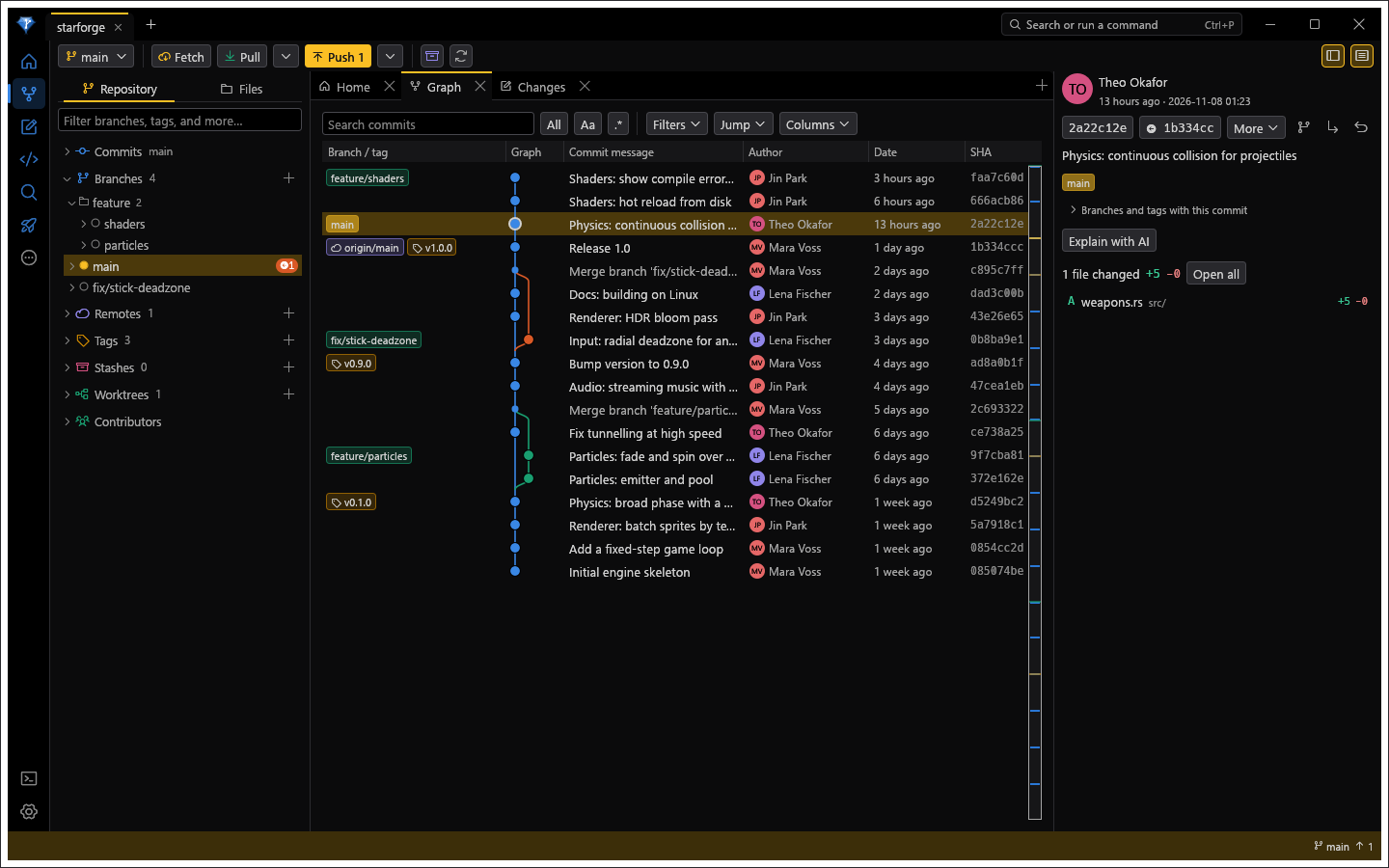
The commit graph with feature branches merged back into main, release tags, and a remote branch one commit behind.

02 · Changes

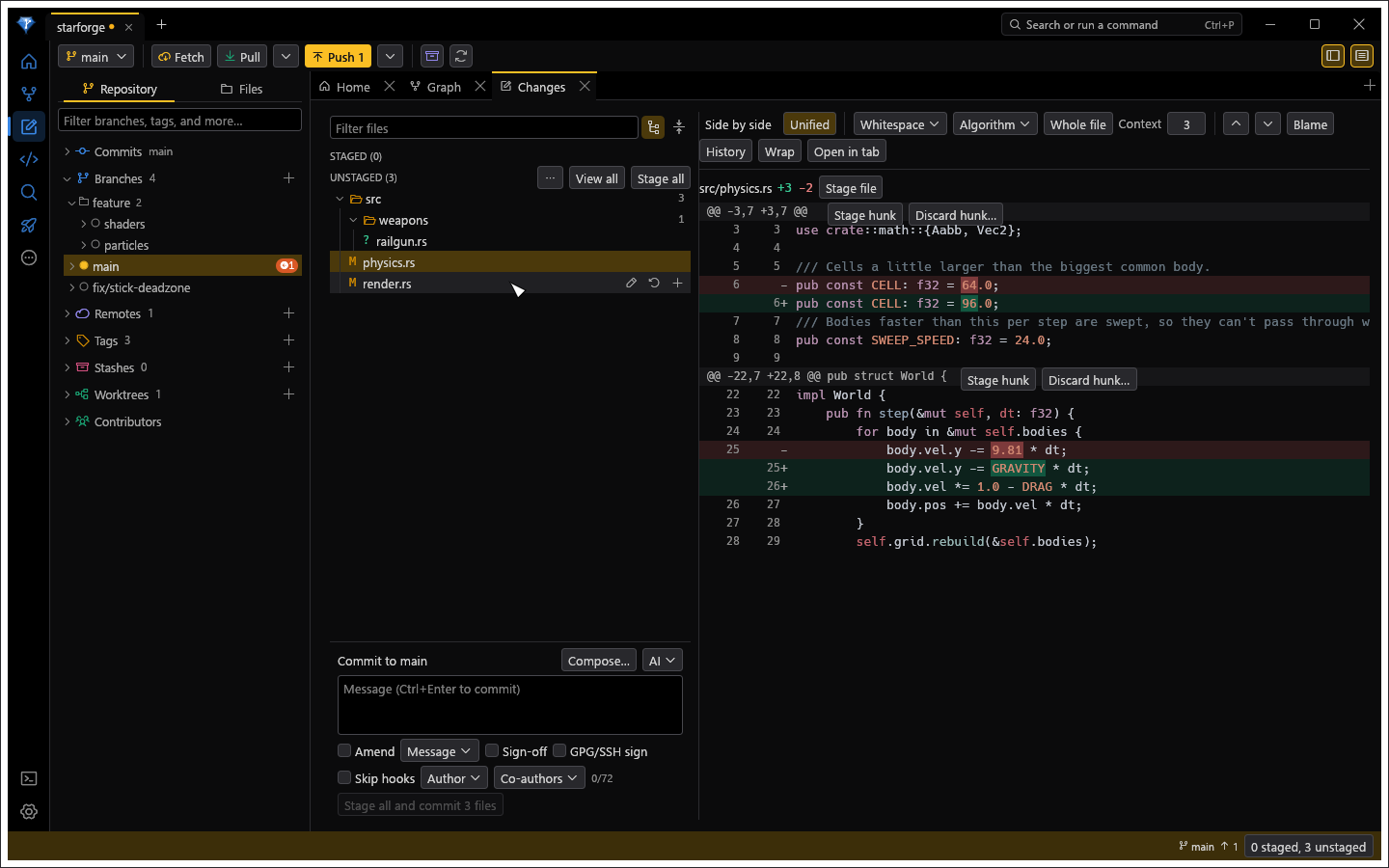
Stage with surgical precision.

Files, diff and commit message on one screen. Stage a whole file, one hunk or a single line. Point at a file and it offers what you'd do next: open it, throw the change away, or stage it. Split work into several commits with the Composer.

The Changes view: changed files as a tree, buttons to open, discard or stage on the row under the pointer, a diff beside the list and the commit box below.

03 · IDE mode

Edit right where you commit.

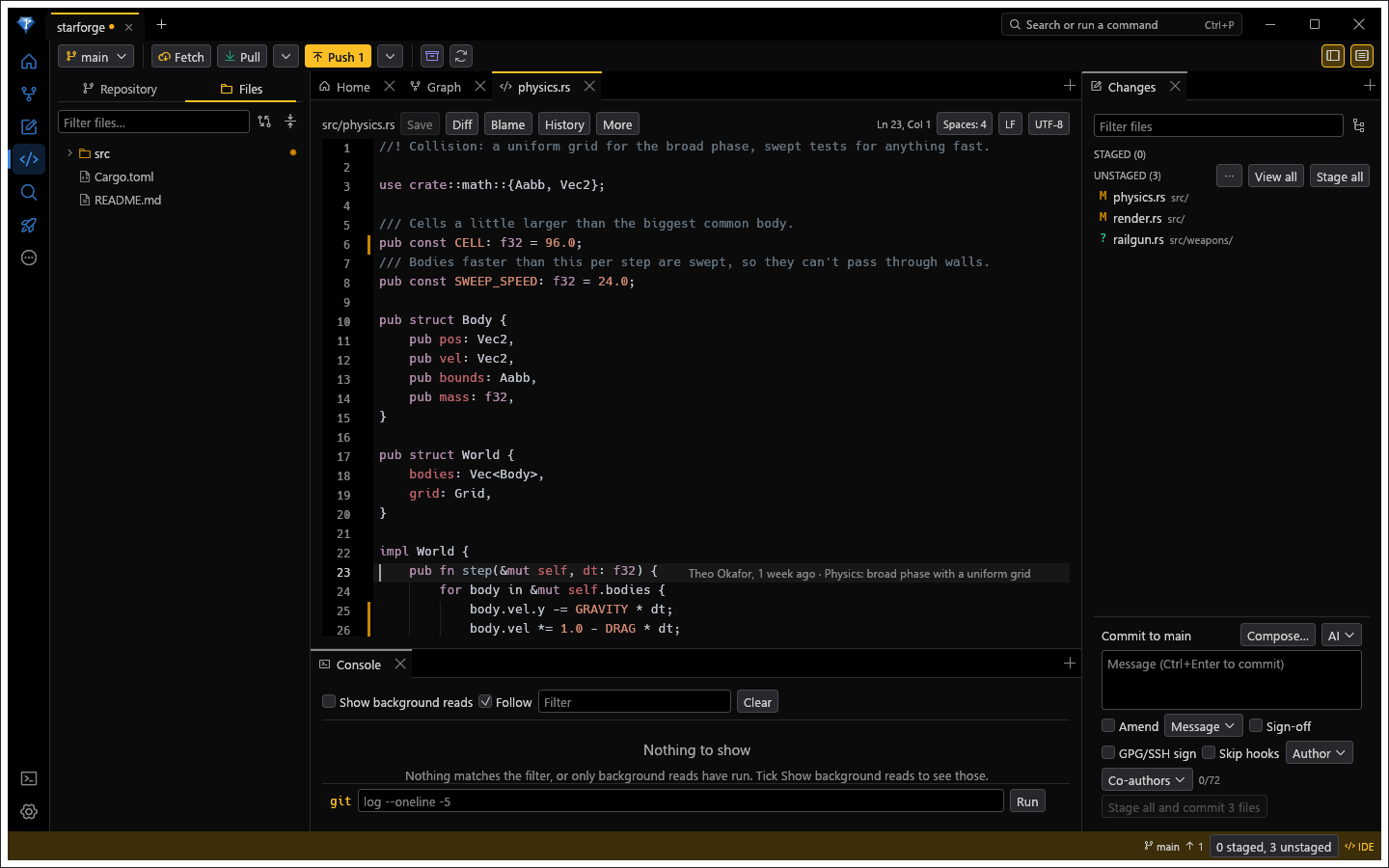
Flip on IDE mode and the Files tree opens files for editing: syntax colours, several carets, find and replace, folding and an outline. It knows the repository. Marks beside each line show what changed, and one change at a time can be staged or reverted from the gutter.

IDE mode: a source file open in the editor with change marks in the gutter and the current line's blame, the Files tree on the left and Changes on the right.

04 · Diff

Diffs that don't flinch.

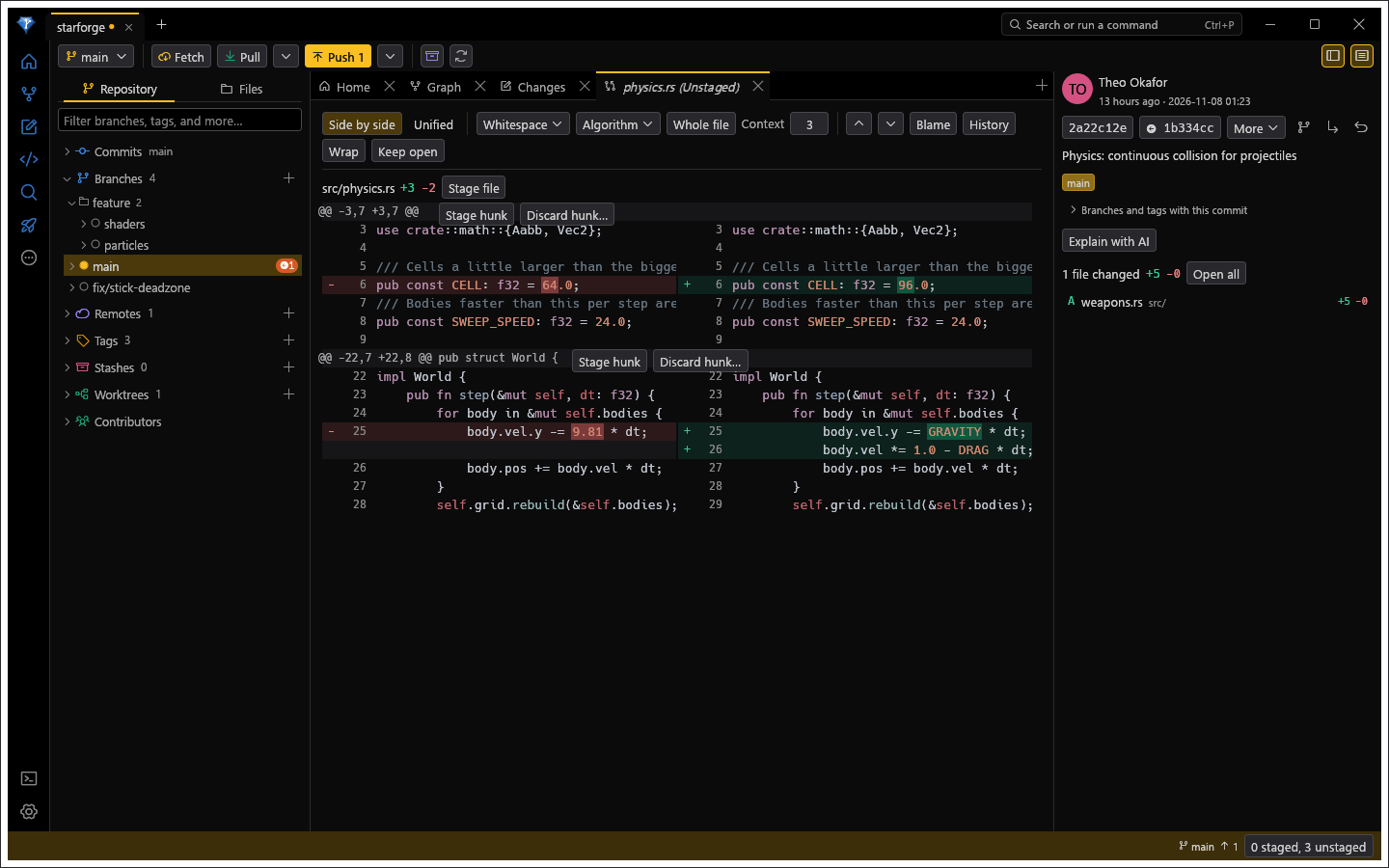
Side by side or unified, with the words that changed picked out, syntax colours and image comparison. Stage or discard right from the diff. It also works as git's own difftool.

A side-by-side diff with removed and added lines and the changed words highlighted, with Stage hunk and Discard hunk buttons.

05 · Merge

Merge conflicts? Handled.

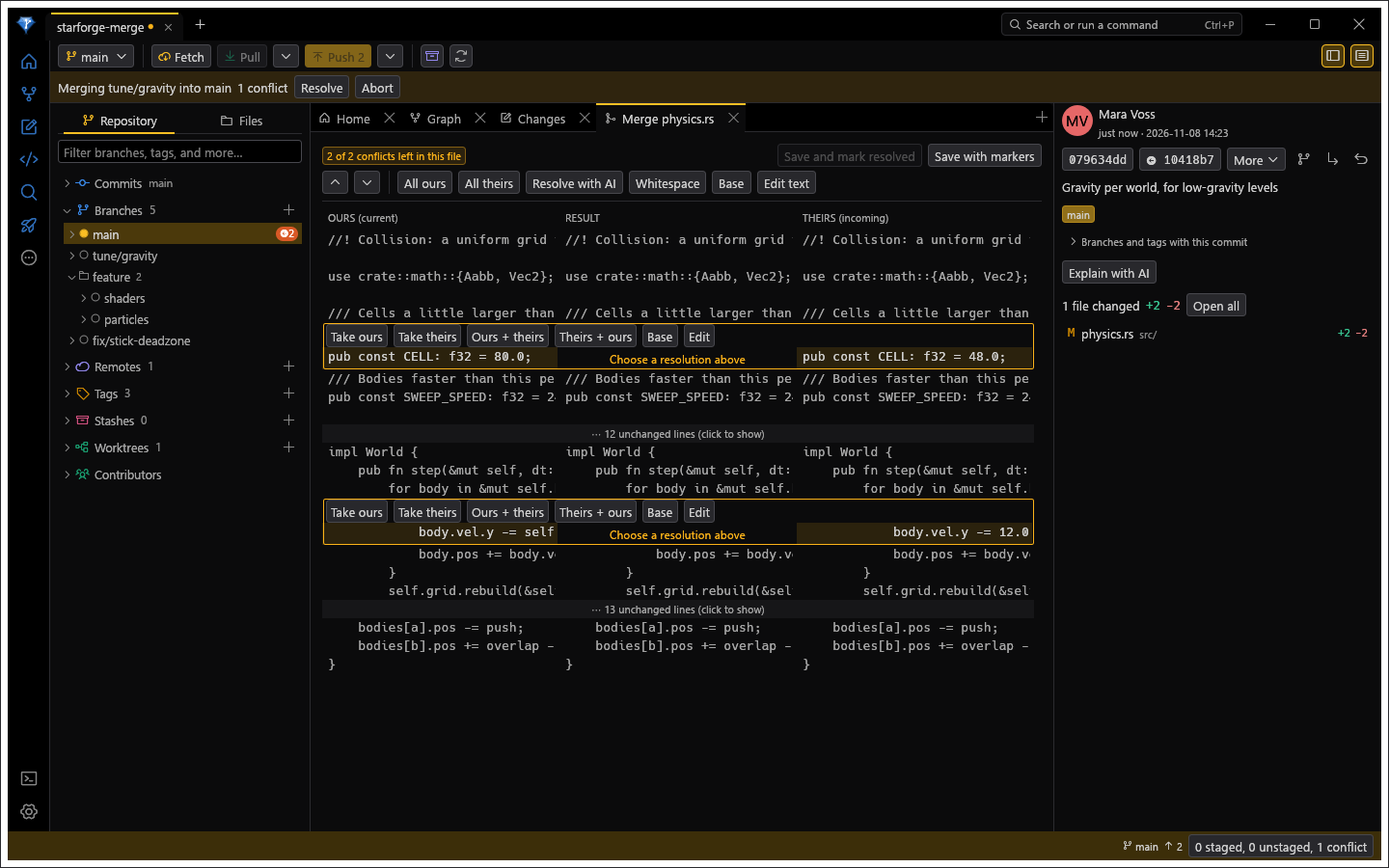
Ours, the result and theirs, side by side, scrolling together. Take a side, take both, or edit the result by hand, one conflict at a time. Your own edits are never thrown away. It also works as git's own mergetool.

The merge tool with three columns, ours, result and theirs, two conflicts each offering Take ours, Take theirs, both orders and Edit, and a banner saying which branch is being merged.

Fully loaded

Trust nothing. Ask first.

A repository can arrive with config that runs programs. gitem treats every one as untrusted until you say otherwise.

  • Nothing runs behind your back. Config that would start a program, such as filters, drivers or core.fsmonitor, stays off until you agree. Reads never run hooks.
  • Destruction asks first. Force pushes, resets and discards show the exact git command before they happen.
  • Secrets stay secret. Tokens live in your system's credential store and are masked wherever a URL is shown.
  • Nothing reports on you. No telemetry. AI requests only go where you point them, and only when you ask. A daily look for a newer release asks GitHub and sends nothing about you; you can turn it off, and an update is downloaded only when you click.

How gitem was made

Developed entirely with AI,
with a hint of human taste.

Lock and load

gitem builds from source with the Rust toolchain and runs on the git you already have (2.38 or newer).

git clone https://github.com/ulaas/gitem
cd gitem
cargo build --release
./target/release/gitem path/to/your/repo